How TagPeek works
TagPeek 怎么用
Three steps to stop guessing what shoppers see — and stop wasting hours measuring tags and pixels by hand.
Same wording as the extension quick-start card. No sales estimates. Audits run in minutes, not an afternoon.
三步停掉「猜买家看到什么」,也停掉手动量标签、算像素的半天白费。
与扩展内快速开始卡片文案一致。不做销量估算。体检几分钟,不是一下午。
Step 1
第 1 步
Install the extension
安装扩展
Add TagPeek from the Chrome Web Store, then pin it so you can open audits from any Etsy listing tab — and see what blocks visibility before shoppers bounce.
从 Chrome 网上应用店安装 TagPeek,并固定到工具栏,以便在任意 Etsy 商品页打开体检 —— 先看清什么在挡曝光,再让买家离开。
Step 2
第 2 步
- Open any Etsy listing page
- Click the TagPeek icon
- 打开任意 Etsy 商品页
- 点 TagPeek 图标
For privacy, TagPeek defaults to zero site permissions. It reads the current listing when you click the toolbar icon. Optional auto-show (you turn it on) may request etsy.com access for a float on listing pages — audits still run only when you click, so nothing runs in the background while shoppers browse.
为保护隐私,TagPeek 默认零站点权限。点工具栏图标时才读当前 listing。可选的「自动显示」(由你开启)可请求 etsy.com 访问以在商品页放浮标 —— 体检仍只在你点击时运行,买家浏览时不会后台偷跑。
Step 3
第 3 步
Read the audit, then fix 🔴 → 🟠 → 🟢 — critical items first so shoppers can still find and see the listing
看完体检结果,按 🔴 → 🟠 → 🟢 修 —— 先修致命项,买家才找得到、看得清
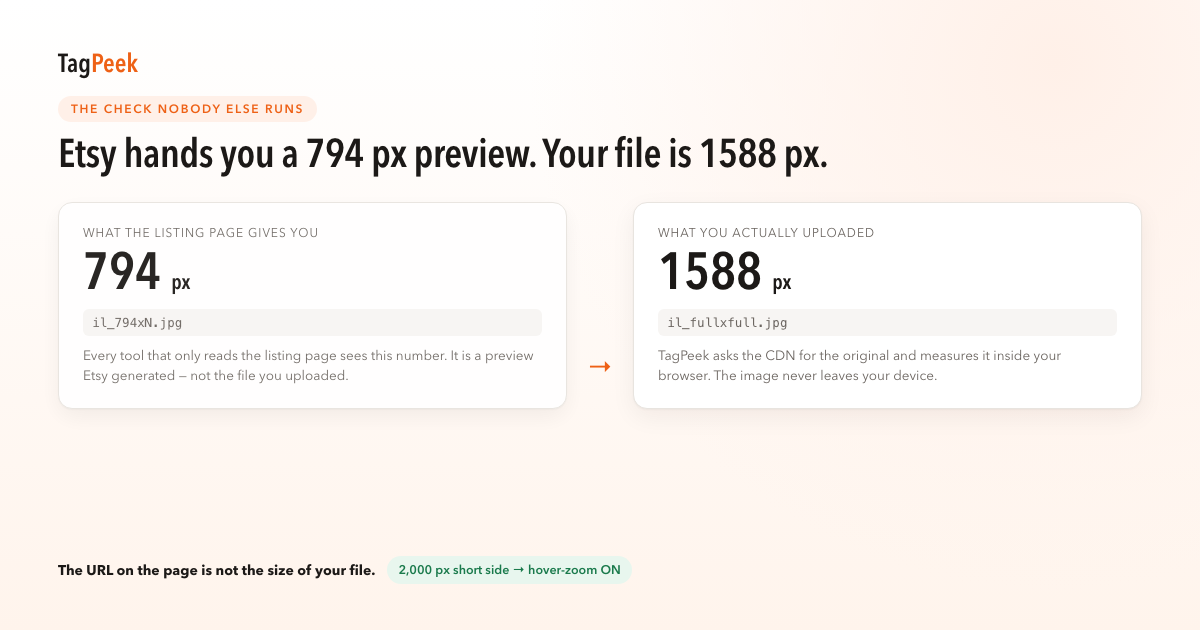
🔴 Critical items are often what buyers feel first — for example in our tests hover-zoom is unavailable when the shortest side is under 2000px (Etsy recommends ≥2000px), or judging zoom from the 794px preview instead of your file. Fix those before tidy-up so you do not waste hours on low-impact edits.
🔴 致命项常常是买家最先感知的 —— 例如我们实测最短边不足 2000px 时悬停放大不可用(Etsy 官方建议 ≥2000px),或把 794px 预览当成原图。先修这些再收拾琐碎项,避免白费半天。
Common questions
常见问题
How far does the free plan go?
免费版能用到什么程度?
Six listing audits per day, forever free. No registration and no card required.
每天 6 条 listing 体检,永久免费。不用注册、不用绑卡。
Do I need to register?
为什么要注册?
No. The free tier does not ask for an email.
不用注册。免费版连邮箱都不需要。
Why do I have to click the icon every time?
为什么每次都要点图标?
TagPeek defaults to zero site permissions. It reads the current page when you click the icon. Optional auto-show is off until you enable it.
TagPeek 默认零站点权限。点图标时才读当前页。可选的自动显示需你主动开启。
Are my photos uploaded?
我的图片会被上传吗?
No. All pixel detection runs in your browser.
不会。所有像素检测在你浏览器里完成。
After the audit, where do I fix issues?
体检出问题之后我该改哪里?
Each row in the fix list has an edit link that opens that listing’s Etsy edit page. See the layered fix list for how rows are sorted.
修复清单每条都有「去改」直链,跳到 Etsy 编辑页。排序方式见分层修复清单。
